Test each update in your Test environment!
To install a new version of the Ratepay Payment Plugin you first should deactivate and uninstall the current version.
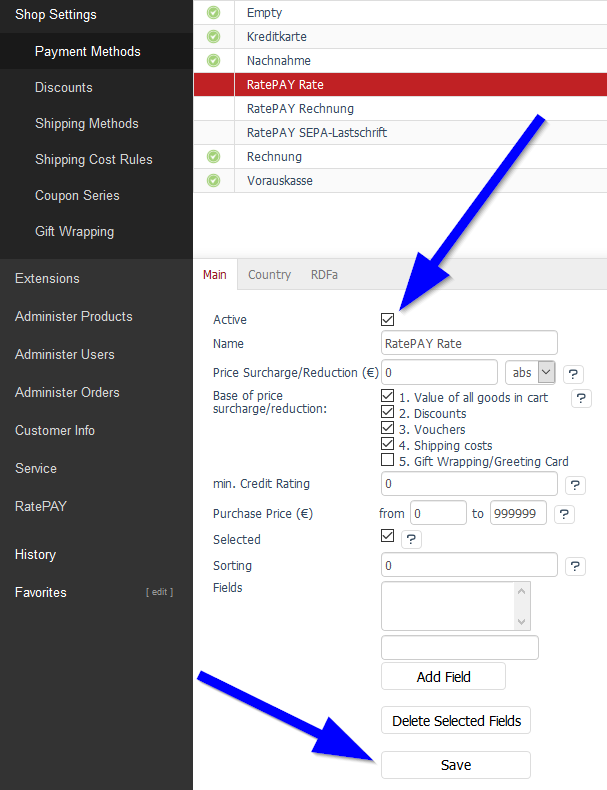
- Uncheck Active in Shop Settings > Payment Methods and
- Save your settings
- Delete the folder
oxid-shop-rootdirectory>/modules/pi/and all it's subfolders - Install the new version of the Ratepay Payment Plugin