Before managing the Ratepay payment method's, please ensure that you've setup the plugin before and that the credentials are beeing saved.
Once the Ratepay payment plugin is installed, all relevant payment methods become automatically available in Settings -> Payment methods.
Simply tick the Active checkbox to disable and enable the Ratepay payment methods on your website.
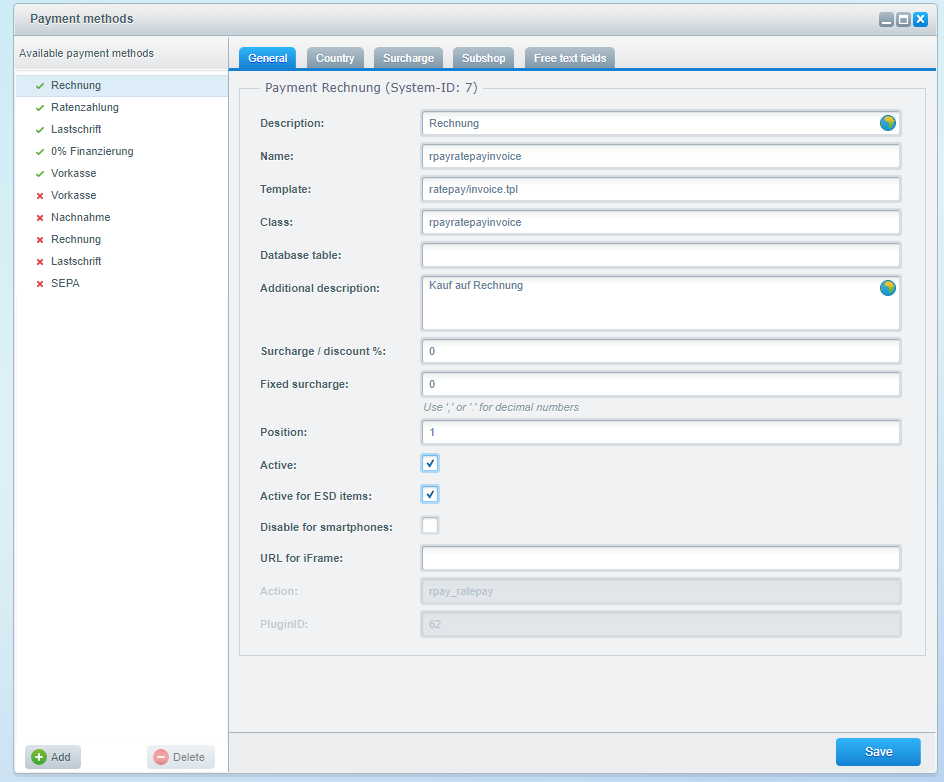
There is no need to assign countries. Ratepay's payment method's become automatically available if there is a valid contract for them.
Per default the Ratepay payment methods are described as
- Ratepay Rechnung
- Ratepay Ratenzahlung
- Ratepay 0% Finanzierung
- Ratepay SEPA-Lastschrift
- Ratepay Vorkasse
We suggest to rename the payment methods and to delete the brand name Ratepay in each description. Ratepay is unknown to most consumers and often associated with instalments.
Feel free to call the payment methods slightly different.
This may boost your conversion rate as well.
| DE | EN |
|---|---|
| Rechnung / Kauf auf Rechnung | Open Invoice |
| Ratenzahlung | Instalment |
| SEPA-Lastschrift / Bankeinzug | Direct Debit |
| 0% Finanzierung | 0% Financing |
If you need logos for the Ratepay payment methods, we also provide a set of whitelabel payment method logos.