Settlement files are generated with every payout and contains a breakdown of the payout, by stating the amounts and occured Ratepay fees for each transaction. These are provided as a csv file.
The settlement files can be retrieved through our ORCA portal or via the Ratepay SFTP server.
Please login into ORCA and click on the billing icon in the left sidebar:

The button may not be displayed due to missing permissions. Please contact the person in your company who is responsible for the administration of ORCA users.
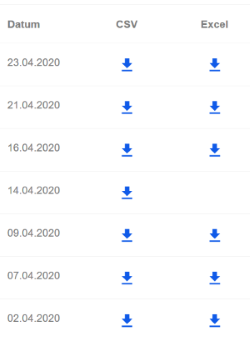
You should then see a view where you can download the settlement reports, separated by payout dates, in CSV format:
To set up the SFTP connection, please follow these steps: SFTP
The settlement files are stored on the SFTP server as a CSV file under the following path: /from_ratepay/settlement_report/
Each settlement file will be removed from this path after 30 days and copied to /archive/settlement_report/