⏱ 3 min
Do’s ✔️
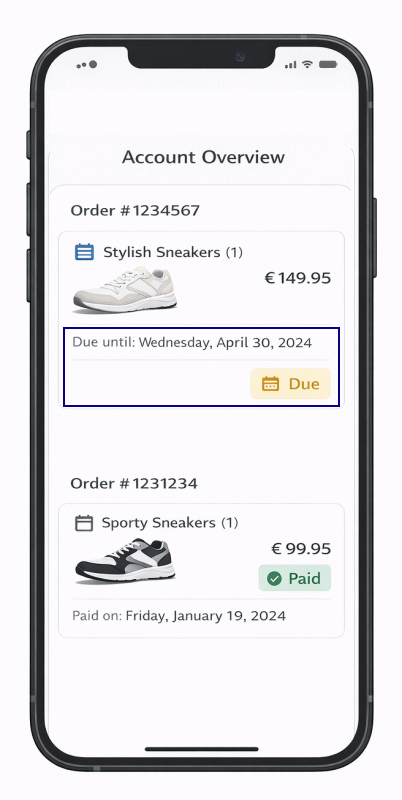
- Show the due date.
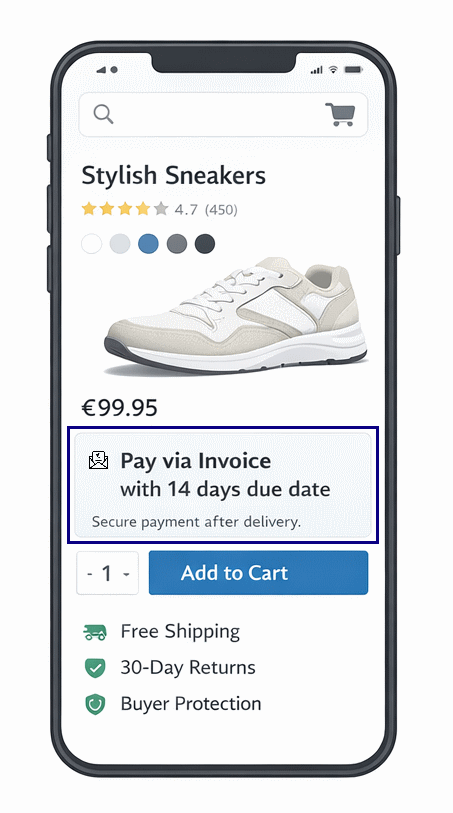
- Highlight that payments can be done after delivery.
Don’ts ❌
- Don’t show any Ratepay logo or state Ratepay as payment provider — stay within your brand.
Do’s ✔️
- Implement an address validation service to improve acceptance quota.
- Show the hint that the billing address needs to match with the registered address (Meldeadresse) for Ratepay payment methods.
Do’s ✔️
General
- Evaluate which payment methods can be shown, based on basket amount.
- Execute Device Fingerprinting when a Ratepay payment method was selected.
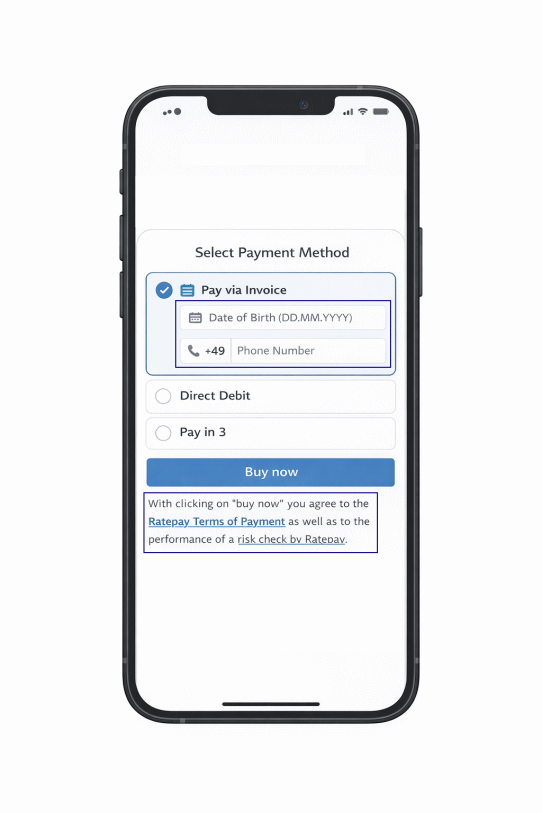
- Ask & validate Date of Birth and/or telephone number (if not done before).
- Show legal requirements .
Direct Debit
- Ask & validate Bank Account Owner & IBAN & get SEPA mandate
Don’ts ❌
General
- Don’t show any Ratepay logo or state Ratepay as payment provider — stay within your brand.
Do’s ✔️
- Implement Idempotency for follow-up operations.
- Forward Ratepay transaction details (e.g. payment references ) to your ERP system.
- Consider transaction expiration date.
Don’ts ❌
- Call Ratepay APIs from frontend.
Do’s ✔️
Open Invoice
- State the bank details & legal requirements, provided by Ratepay.
- Forward the transaction specific payment_references to your ERP system / system for invoice generation and state it on your invoices.
Direct Debit
- State, that the SEPA prenotification will be sent separately.
Pay in 3
- State, that the installment plan will be sent separately.
Don’ts ❌
General
- Show your bank details on the invoices, to avoid a money transfer to you instead of Ratepay.
Do’s for success ✔️
- Show success page & send confirmation to buyer.
Don’ts for failure ❌
- Show a generic error reason.
- Still show Ratepay payment methods in case of hard risk rejections.