You can process purchases via the tab "Item management" in the order details. This is where you can find the "Shipping/Cancellation" and "Returns" tabs.
To report shipping of items ...
- Open the tab Shipping/Cancellation
- Enter the quantity of items to be shipped into the first column (optional; otherwise all will be canceled)
- Use the button Send selection
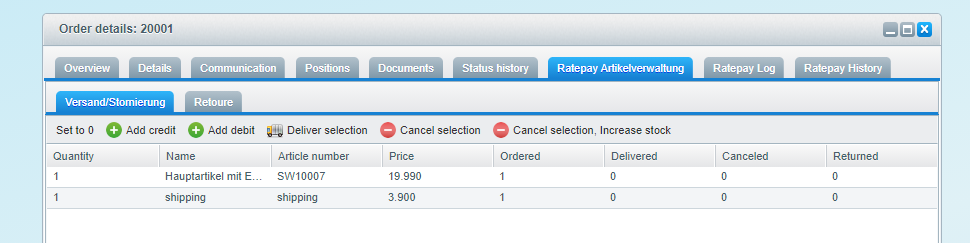
Check the column Shipped to see the quantity of individual items already been delivered.
Remove individual items or cancel entire orders as follows:
- Open the tab Shipping/Cancellation
- Enter the quantity of items to be removed into the first column (optional)
- Use the button Cancel selection
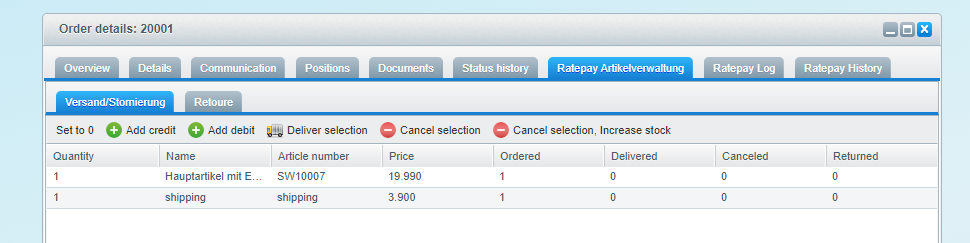
Check the column Cancelled to see the quantity of individual items already been processed.
To settle a credit memo, proceed as follows:
- Open the tab Shipping/Cancellation
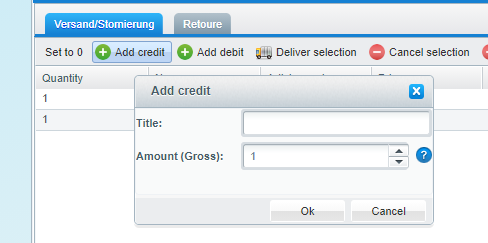
- Use the button Add reduction
- Specify the amount in euros and confirm
- Use the button Send selection Until that point you can cancel the credit by using the button Cancel selection.
Due to limitations in Shopware credits/refunds will be sent without VAT.
If items are returned to you, do the following steps:
- Open the tab Returns
- Enter the quantity of items into the first column (optional)
- Use the button Return selection
Bring returned items back to stock by using the button Return selection, update inventory instead.
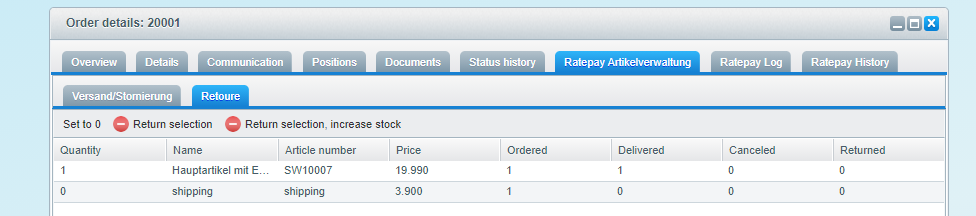
Check the column Returned to see the quantity of individual items already been processed.
It is not possible to delete orders that have already been processed with Ratepay.
See all XML gateway requests and responses that belong to this particular purchase order.

Find all information about each respective status update made by using the Ratepay Payment Plugin.
